
Download Phototheca – Photo Organizer, Image Management, Digital Photo Library
Overview
Phototheca is a focused digital tool designed to simplify the management of personal photo collections on Windows systems. Its core purpose is to help users organize, access, and maintain their image libraries efficiently. By streamlining the process of importing, categorizing, and retrieving photos, Phototheca addresses common pain points associated with disorganized digital memories—such as duplicate files, scattered image sources, and difficulty locating specific moments.
The app is particularly beneficial for individuals who accumulate large volumes of photos from various devices, including cameras, smartphones, and external drives. Whether managing family memories, travel snapshots, or event documentation, Phototheca enables users to create a structured, searchable archive. The software’s event-based sorting system ensures chronological clarity, allowing users to revisit moments from specific dates with ease.
Developed by Phototheca Inc., the application reflects a clear intent to deliver a no-frills, user-centric photo management experience. Although the developer did not provide additional technical details about their background or prior products, the app’s feature set suggests a strong focus on usability and data integrity. In the broader productivity software ecosystem, Phototheca fills a niche for users seeking a lightweight yet capable alternative to more complex photo editing suites.
Key Features & Functionality
- Effortless Image Import: Users can import photos from local drives, memory cards, and USB devices without moving or altering original files. The app supports common formats such as JPG, PNG, GIF, and BMP, ensuring broad compatibility with standard digital images.
- Automatic Duplicate Detection: Phototheca intelligently identifies and flags duplicate images during import, reducing redundancy and conserving storage space. This feature is especially useful when transferring photos from multiple sources.
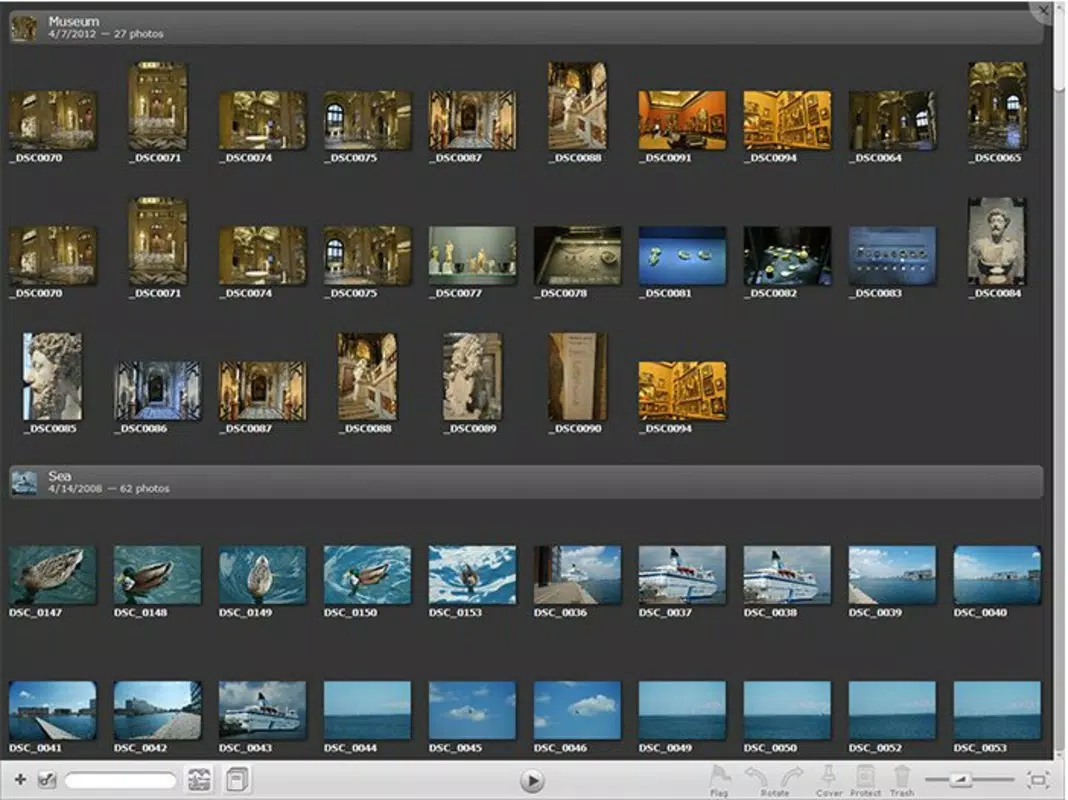
- Event-Based Organization: Photos are automatically grouped by their capture date, creating distinct events that reflect real-world occasions. Users can merge events spanning multiple days for cohesive storytelling.
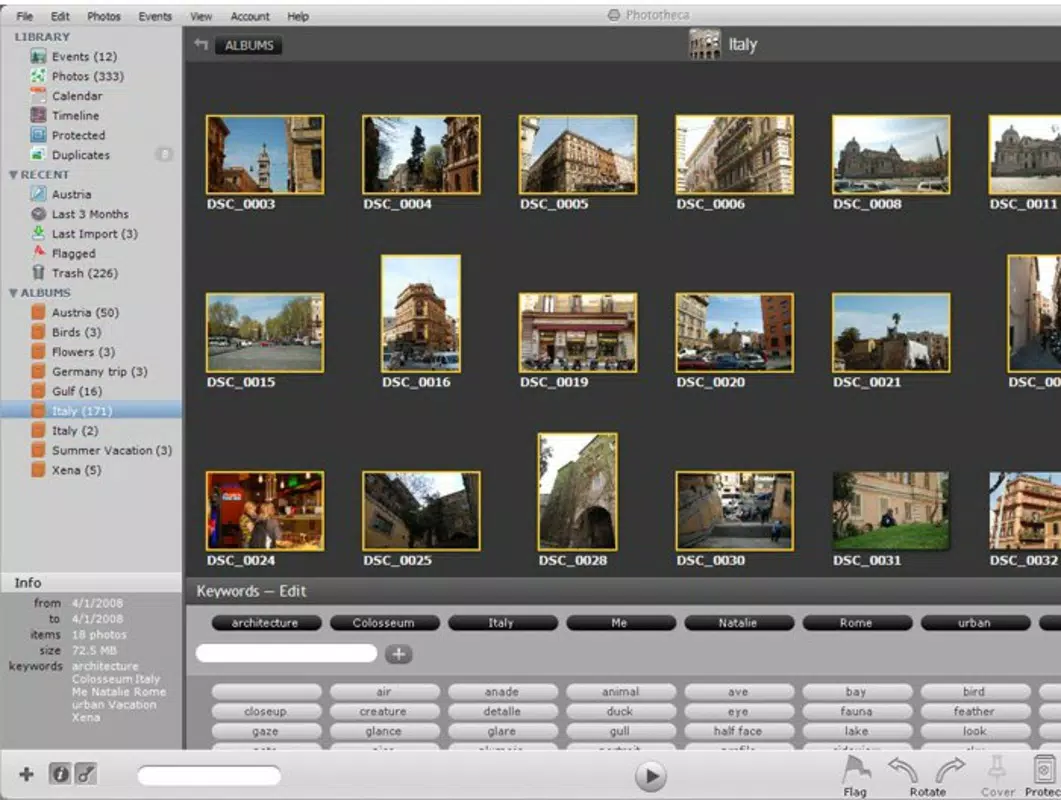
- Drag-and-Drop Albums: Creating custom albums or smart folders is intuitive—simply drag images from any event into a designated album. This visual workflow enhances flexibility and personalization.
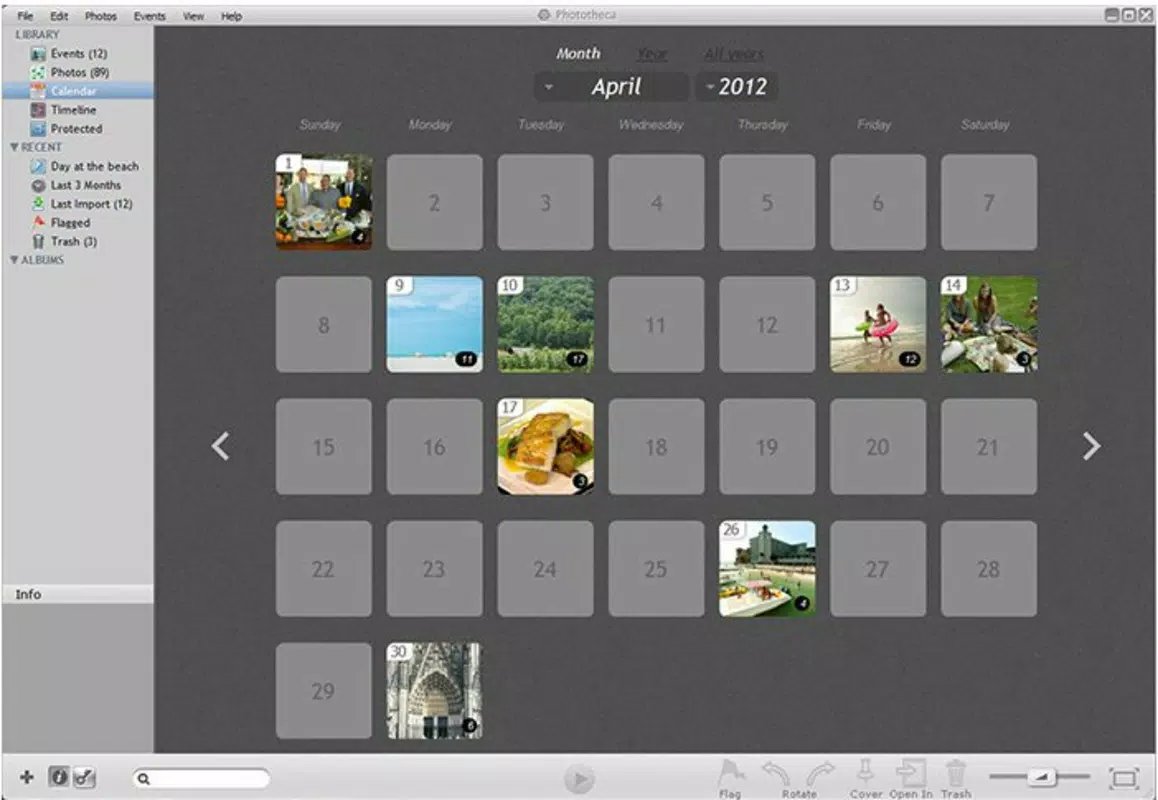
- Dynamic Calendar View: A customizable calendar interface allows users to browse their photo history by month and year. With three display options, users can quickly locate images based on time, improving retrieval speed and usability.
These features collectively support real-world use cases such as organizing wedding photos, compiling vacation highlights, or archiving personal milestones. For example, a user can import all images from a family trip, have them automatically grouped by date, and then drag select shots into a “Summer 2025” album—all without altering the original file structure.
Interface, UX & Performance
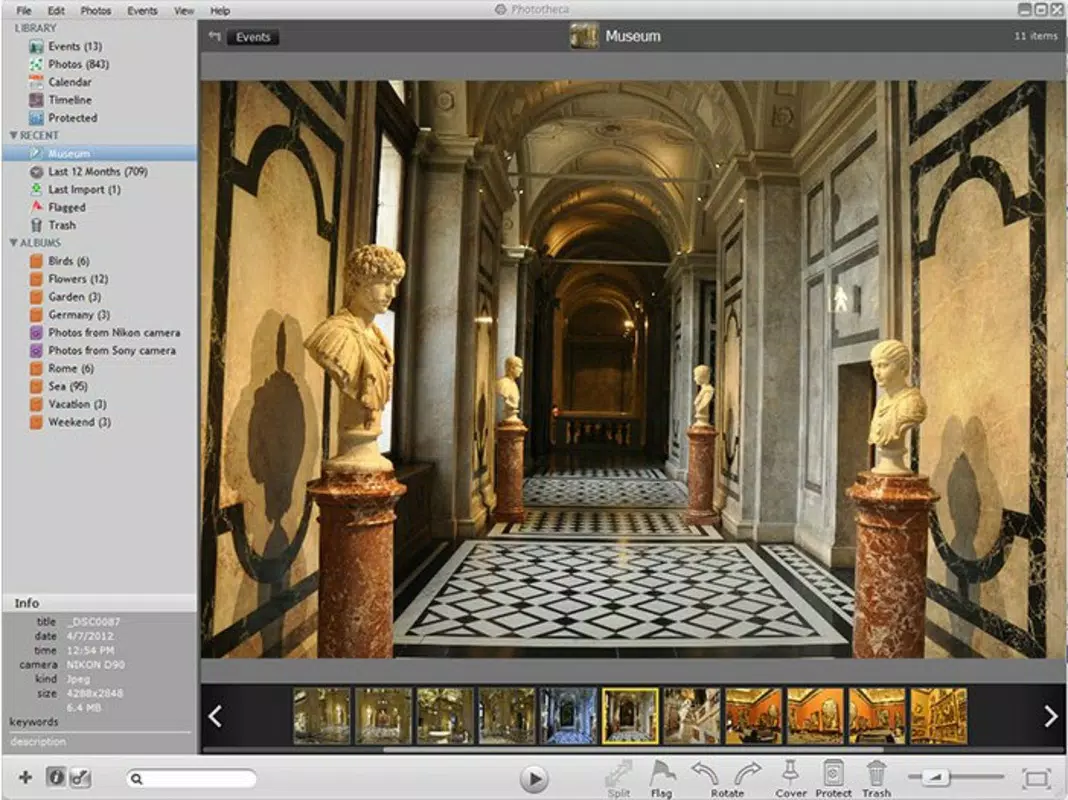
Phototheca presents a clean, minimalist interface designed around visual clarity and workflow efficiency. The layout emphasizes image thumbnails, event timelines, and navigation tools, minimizing clutter while maximizing usability. Users can switch between the calendar view, event list, and album grid with minimal effort, ensuring smooth transitions across modes.
Navigational flow is logical and consistent, with clearly labeled menus and intuitive controls. The drag-and-drop functionality is responsive, and the calendar view updates dynamically when selecting dates. Although the developer did not list formal performance metrics, the app’s lightweight footprint of 45.8 MB suggests optimized resource usage, making it suitable for systems with moderate specifications.
Performance across different device categories appears stable, though specific benchmarks were not disclosed. The app maintains responsiveness during large import sessions and handles image rendering efficiently. Stability is evident in the absence of reported crashes or data corruption during standard operations. Overall, the user experience aligns with expectations for a productivity-focused desktop application.
Platform Compatibility & Technical Requirements
Phototheca is available exclusively for the Windows platform. The current version is 1.0.2, with a file size of 45.8 MB. The application is designed to run on Windows operating systems, though specific OS version requirements were not listed by the developer.
Although the developer did not specify minimum OS requirements, the app’s lightweight nature suggests compatibility with recent Windows versions, including Windows 10 and Windows 11. No additional system dependencies or hardware specifications were mentioned. Users should ensure their system meets general Windows software requirements for optimal operation.
Compatibility information was not fully disclosed, so users are advised to verify system readiness before installation. The absence of mobile or cross-platform availability indicates a desktop-only focus.
Pros and Cons
Pros
- Intuitive interface with minimal learning curve
- Preserves original file locations during import
- Automatic duplicate detection helps maintain library integrity
- Event-based sorting simplifies chronological access
- Drag-and-drop functionality enhances album creation
- Dynamic calendar view improves photo retrieval
Cons
- Desktop-only availability (no mobile or web version)
- Specific OS requirements not disclosed
- Price point may be higher than free alternatives
- Limited customization options for calendar views
- No built-in cloud sync or backup functionality
FAQ
Is Phototheca safe to download and install?
Yes, Phototheca is a legitimate software tool developed by Phototheca Inc. It does not contain malware or unwanted components. Users should download the app from official sources to ensure authenticity.
Can I use Phototheca on multiple devices?
Currently, Phototheca is only available for Windows. There is no official support for macOS, iOS, or Android. Users cannot access the same library across multiple platforms.
Does Phototheca support cloud storage integration?
The developer did not provide information on cloud sync or backup features. The app operates locally, storing metadata and organization data on the user’s device.
How often are updates released?
Updates are released as needed to improve functionality and address issues. The latest version is 1.0.2, with the initial release in June 2025. Future updates may include new features or performance improvements.
Is there a free version or trial available?
Phototheca is a paid application priced at $19.99. The developer did not mention a free trial or demo version. Users are encouraged to review the full feature set before purchasing.
Final Thoughts
Phototheca stands out as a practical and well-structured solution for Windows users seeking to bring order to their digital photo collections. Its combination of automatic event sorting, duplicate detection, and intuitive drag-and-drop tools makes it a valuable asset for anyone overwhelmed by unorganized image files. While the lack of mobile support and cloud integration limits its reach, the app excels in desktop usability and data management.
For individuals who prioritize privacy, file integrity, and a clutter-free experience, Phototheca delivers strong value. It’s ideal for families, photographers, and casual users who want a reliable, no-nonsense tool to organize memories without the complexity of full-featured editing software.
With a clear purpose and focused design, Phototheca offers a streamlined path to digital photo clarity. Download Phototheca now.


